| Version 2 (modified by , 5 hours ago) ( diff ) |
|---|
GW16171 - Precision GNSS M.2 Card
The GW16171 is a precision GNSS M.2 Card featuring the Septentrio mosaic-G5 P6 multi-frequency receiver.
Read more on the official product page here: https://www.gateworks.com/products/wireless-options/gw16171-septentrio-g5-mosaic-precision-gnss-m2-card/
Features
The GW1671 features a Septentrio Mosaic-G5 Precision GNSS receiver on an M.2 A/E Key card with:
- 2-wire UART (COM1) (optional)
- USB 2.0 (USB1, USB2)
- RESET# (connected to Mosaic active-high NRST_IN#)
- UART 1.8V
- PPS1 output 1.8V (via UART_RTS pin)
- EVENTA input 1.8V (via UART_CTS pin)
- EVENTB input 1.8V/3.3V (optional, via reserved pin)
- 2 configurable LEDs: GPIO1 GPIO2
- microSD socket (for data logging)
Compared to the Mosaic-X5 on the GW16160 the G5 is a lower footprint and lower power consumption device which lacks the TCP/IP stack and RNDIS interface of the X5.
GW16171 M.2 E-Key Pinout
The following tables provide the connector pinouts for the 10-pin debug header and the M.2 A/E-Key connector.
M.2 Pinout:
- M2.56 W_DISABLE1#(1.8/3.3V) RST# (optional, Mosaic-G5 has a pull-up)
- M2.3 USB_DP (required)
- M2.5 USB_DM (required)
- M2.22 UART_TXD (1.8V) output from card
- M2.32 UART_RXD (1.8V) input to card
- M2.34 PPS1 (1.8V) output from card; normally UART_RTS (loaded)
- M2.36 EVENTA (1.8V) input to card; normally UART_CTS (loaded)
- M2.2,4,72,74 VDD_3P3
- M2.1,7,33,39,45,51,57,63,69,75 GND
- M2.67 EVENTB(1.8V/3.3V); optional (unloaded)
The only signals required other than power and GND are USB_DP and USB_DM.
Gateworks boards with M.2 E-Key sockets:
- Catalina boards with a GW16FE0 FSA M.2 E-Key adapter
- Venice-Flex boards with a GW16FE0 FSA M.2 E-Key adapter
- GW16151 MiniPCIe to M.2 E-Key Adapter
Reset
The Mosiac-G5 NRST_IN# needs to be floating (internal pu) or driven high at 3.3V to allow the card out of reset.
The standard GW16171 uses M.2 Pin 56 (W_DISABLE1#) as the source of this reset.
Antenna
There are two antenna ports for the Mosaic G5. Not all variants support dual antennas however the standard GW16171 with the Mosaic-G5 P6 does.
To get started, a recommended antenna is the Yokowo Manufacturing of America YOZ-52728ZZ01-YM available here
A smaller option we like is the TW7972, and a bit larger one for machine control-type applications (or car tests) is the PolaNt* MC.v2.
A list of antennas from Septentrio is here: https://www.septentrio.com/en/support/product-resources/supportresources/gnssantennas
USB Interface
When powered and out of reset, the Mosiac-G5 USB interface enumerates on the USB bus with a VID/PID of 0x152a:0x85c0:
Bus 003 Device 004: ID 152a:85c0 Thesycon Systemsoftware & Consulting GmbH Septentrio USB Device
The USB device provides 2 endpoints:
- {0,1} - CDC ACM device (Linux cdc_acm driver)
- {2,3} - CDC ACM device (Linux cdc_acm driver)
A Linux kernel would show:
[  213.543608] usb 3-1.2: new high-speed USB device number 5 using xhci-hcd
[  213.653262] usb 3-1.2: New USB device found, idVendor=152a, idProduct=85c0, bcdDevice= 3.14
[  213.661651] usb 3-1.2: New USB device strings: Mfr=1, Product=2, SerialNumber=3
[  213.668987] usb 3-1.2: Product: Septentrio USB Device
[  213.674075] usb 3-1.2: Manufacturer: Septentrio
[  213.678628] usb 3-1.2: SerialNumber: 3838051
[  213.814494] cdc_acm 3-1.2:1.2: ttyACM0: USB ACM device
[  213.822420] cdc_acm 3-1.2:1.4: ttyACM1: USB ACM device
USB ACM interfaces
The 2x USB ACM interfaces are represented by USB1 and USB2 Connection Descriptors (CD) and would typically enumerate as /dev/ttyACM0 and /dev/ttyACM1.
Examples:
screen /dev/ttyACM0 # USB1
screen /dev/ttyACM1 # USB2
SD Interface
The SD interface on the Mosaic-G5 is a 1-bit SDIO device which goes to a MicroSD socket on the GW16171.
Receiver config examples:
- use the 'LstDiskInfo,DSK1' receiver command to obtain info about it:
< LstDiskInfo, DSK1
 > $R; LstDiskInfo, DSK1
 > <?xml version="1.0" encoding="ISO-8859-1" ?>
 > <DiskInfo version="0.1">
 >   <Disk name="DSK1" total="0" free="0" >
 >     <Dir name="/sdcard/">
 >    </Dir>
 >   </Disk>
 > </DiskInfo>
 >
- Log NMEA GPS GGA 1Hz to it
setNMEAOutput, Stream1, DSK1
setNMEAOutput, Stream1, , GGA
setNMEAOutput, Stream1, , , sec1
Unlike the Mosaic-X5, the Mosaic-G5 has no command to format the disk. You must use other means to format it as FAT32 and have it inserted before the module is powered on.
UART Interface
The 2-wire UART on the GW16171 is routed to COM1 on the Mosaic-G5.
By default COM1 is configured for 115200bd 8N1 no flow control. You can use 'getCOMSettings' and 'setCOMSettings' to configure this and can configure various data streams to output to it. For example on the USB1 or USB2 ACM interfaces: {{{#! < getCOMSettings
$R: getCOMSettings
COMSettings, COM1, baud115200, bits8, No, bit1, none COMSettings, COM2, baud115200, bits8, No, bit1, none
< setNMEAOutput, Stream1, COM1, GGA, sec1
$R: setNMEAOutput, Stream1, COM1, GGA, sec1
NMEAOutput, Stream1, COM1, GGA, sec1
}}}
With a GW16171 mounted on a GW9401 with a GW16FE0 in FSA2 this is /dev/ttyLP4:
#bash
screen /dev/ttyLP4 115200,cs8 # UART5 (FSA#2)
picocom /dev/ttyLP4 -b 115200 --omap lfcr #picocom option
Example output:
$GPGGA,224309.00,,,,,0,00,,,M,,M,,*46
$GPGGA,224310.00,,,,,0,00,,,M,,M,,*4E
$GPGGA,224311.00,,,,,0,00,,,M,,M,,*4F
$GPGGA,224312.00,,,,,0,00,,,M,,M,,*4C
$GPGGA,224313.00,,,,,0,00,,,M,,M,,*4D
PPS1 Output
The PPS1 output on M.2 pin 34 is highly configurable. The default configuration is to output 1Hz Low2High synchronized with GPS. The PPS output pin routes to the M.2 pin 34 which is UART_RTS for the M.2 E-Key standard.
When the GW16171 is used on a GW8201 with a GW16FE0 in FSA2 pin 34 is UART_RTS which maps to MX8MP_IOMUXC_ECSPI1_SS0GPIO5_IO09.
You can connect this to a pps source via the following dt fragment:
/ {
        pps {
                compatible = "pps-gpio";
                pinctrl-names = "default";
                pinctrl-0 = <&pinctrl_pps>;
                gpios = <&gpio5 9 GPIO_ACTIVE_HIGH>;
        };
};

&iomuxc {
        pinctrl_pps: ppsgrp {
                fsl,pins = <
                        MX8MP_IOMUXC_ECSPI1_SS0__GPIO5_IO09     0x140
                >;
        };
};
Changing the current pps in the GW82xx to this would look like this (although note you can have multiple pps sources):
diff --git a/arch/arm64/boot/dts/freescale/imx8mp-venice-gw82xx.dtsi b/arch/arm64/boot/dts/freescale/imx8mp
-venice-gw82xx.dtsi
index 2b86cc62a41a..137d78c3eb4a 100644
--- a/arch/arm64/boot/dts/freescale/imx8mp-venice-gw82xx.dtsi
+++ b/arch/arm64/boot/dts/freescale/imx8mp-venice-gw82xx.dtsi
@@ -45,7 +45,7 @@ pps {
                compatible = "pps-gpio";
                pinctrl-names = "default";
                pinctrl-0 = <&pinctrl_pps>;
-               gpios = <&gpio4 3 GPIO_ACTIVE_HIGH>;
+               gpios = <&gpio5 9 GPIO_ACTIVE_HIGH>;
        };

        reg_usb2_vbus: regulator-usb2 {
@@ -414,7 +415,7 @@ MX8MP_IOMUXC_SAI3_RXC__GPIO4_IO29   0x106   /* PERST# */
        pinctrl_pps: ppsgrp {
                fsl,pins = <
-                       MX8MP_IOMUXC_SAI1_RXD1__GPIO4_IO03      0x146
+                       MX8MP_IOMUXC_ECSPI1_SS0__GPIO5_IO09     0x146
                >;
        };
Examples:
- get PPS1
< getPPSParameters
 > $R: getPPSParameters
 >   PPSParameters, sec1, Low2High, 0.00, GPS, 60, 5.000000
- set PPS1 to output at 1Hz high to low with a 100ms pulse width:
< setPPSParameters, sec1, High2Low, 0.00, GPS, 60, 100
 > $R: setPPSParameters, sec1, High2Low, 0.00, GPS, 60, 100
 >   PPSParameters, sec1, High2Low, 0.00, GPS, 60, 100.000000
EventA Input
The EVENTA input signal on the Moasic-G5 routed to M2 pin 36 on the GW16171 and can be configured to trigger various things.
When the GW16171 is used on a GW8201 with a GW16FE0 in FSA2 pin 34 is UART_RTS which maps to MX8MP_IOMUXC_ECSPI1_MISOGPIO5_IO08.
Examples:
- Enable the ExtEvent SBF block and send it to COM1 showing the position at the time of the event:
< setSBFOutput, Stream1, COM1, ExtEvent+ExtEventPVTGeodetic, OnChange
 > $R: setSBFOutput, Stream1, COM1, ExtEvent+ExtEventPVTGeodetic, OnChange
 >   SBFOutput, Stream1, COM1, ExtEvent+ExtEventPVTGeodetic, OnChange
Receiver
The Mosaic-G5 Receiver is highly capable and configurable. It uses Connection Descriptors to refer to its various interfaces:
- COM1 - UART
- USB1 - ttyACM0
- USB2 - ttyACM1
- DSK1 - microSD
The Mosaic-G5 Firmware Reference Guide (available here) details the capabilities.
You can access the receiver commands in various ways:
- via USB1/USB2:
screen /dev/ttyACM0 # USB1
screen /dev/ttyACM1 # USB2
- via COM1:
screen /dev/ttymxc2 115200,cs8 # GW820x+GW16FE0 FSA2 (UART3)
Configuration:
- There are multiple sets of configs that you can work with
- Current - current config
- Boot - boot up config
- User1 - user defined 1
- User2 - user defined 2
- RXDefault - factory default, not writable
- use 'lstConfigFile, $CONFIG' to show the differences between a config and RXDefault
- use 'exeCopyConfigFile,$SRC,$TARGET' to copy configs
A few examples:
# show help
help
# show COM1 settings
getCOMSettings
# configure COM1 baudrate
setCOMSettings,COM1,baud115200,bits8,No,bit1,none
# log NMEA GGA 1Hz to com1
setNMEAOutput, Stream1,COM1,GGA,sec1
# log NMEA GGA 1Hz to log.nma
setNMEAOutput, Stream1,DSK1,GGA,sec1
# show differences from factory default for current config
lstConfigFlie, Current
# restore factory defaults
exeCopyConfigFile,RxDefault,Boot
Using Septentrio RxTools
Septentrio has a Windows / Linux graphical user interface called RxTools that can interface with the Mosaic-G5 by redirecting one of its ACM serial ports to a TCP/IP connection.
The RxControl tool is by far the easiest way to get started understanding the capabilities of the GPS and how to interact with it.
Example:
- On embedded Linux board use something like ser2net to redirect the tty to TCP port 28784:
# install ser2net
apt update && apt install -y ser2net
# add a conf
cat << EOF >> /etc/ser2net.yaml
connection: &mosaic
  accepter: tcp,28784
  connector: serialdev,/dev/ttyACM0,115200n81,local
  options:
    kickolduser: true
    banner: ""

EOF
# restart ser2net
systemctl restart ser2net
- Ubuntu 22.04 example via docker:
# Grant local Xwayland permission on host
xhost +si:localuser:root

# Start clean Ubuntu 22.04 container with home mount and display forwarding
sudo docker run -it --rm \
--net=host \
-e DISPLAY=$DISPLAY \
-e QT_QPA_PLATFORM=xcb \
-e XAUTHORITY=/root/.Xauthority \
-v /tmp/.X11-unix:/tmp/.X11-unix \
-v ~/.Xauthority:/root/.Xauthority:ro \
-v ~:/host_home \
ubuntu:22.04 bash
# now inside the container install all dependencies in one command
apt update && apt install -y \
libx11-xcb1 libxcb-cursor0 \
libxcb-icccm4 libxcb-image0 \
libxcb-keysyms1 libxcb-randr0 \
libxcb-render-util0 libxcb-shape0 \
libxcb-sync1 libxcb-xfixes0 \
libxcb-xkb1 libxkbcommon-x11-0 \
libgl1 libegl1 \
libopengl0 libgl1-mesa-dri \
libwayland-cursor0 \
libxcomposite1 libxrender1 \
libxi6 libxtst6 libxrandr2 \
libxcursor1 libxinerama1 \
libxdamage1 libxext6 \
libfontconfig1 libdbus-1-3 libglib2.0-0 \
wget tar
# Set software rendering
export LIBGL_ALWAYS_SOFTWARE=1
# Install the app (assuming you've downloaded it to your host Download dir)
mkdir -p /root/Desktop # keep installer happy
chmod +x /host_home/Downloads/rxtools_26_1_0_installer_x64.bin
/host_home/Downloads/rxtools_26_1_0_installer_x64.bin
# To run manually
LD_LIBRARY_PATH=/opt/Septentrio/RxTools/bin LIBGL_ALWAYS_SOFTWARE=1 \
/opt/Septentrio/RxTools/bin/rxcontrol
Note if RxControl has difficulty connecting or synchronizing with the Mosaic try restarting ser2net via systemctl restart ser2net.
Attachments (3)
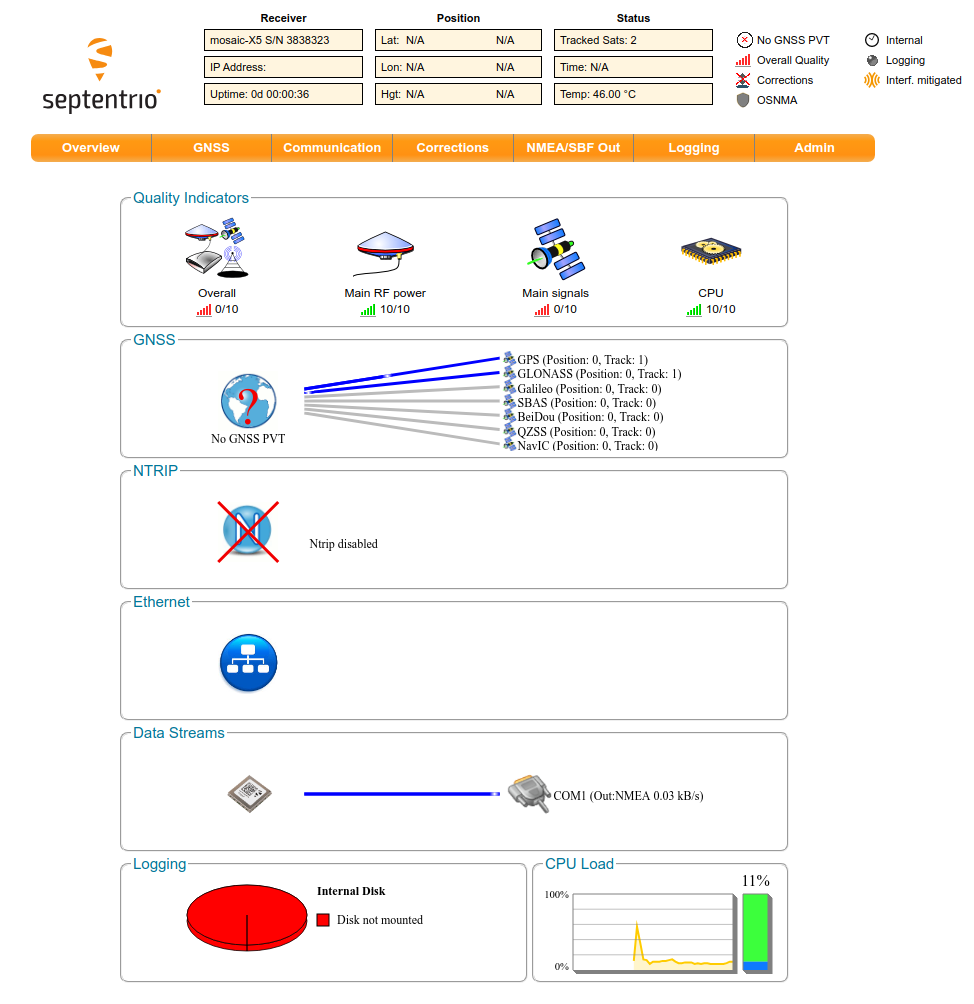
- 16160webadmin.jpg (126.5 KB ) - added by 5 months ago.
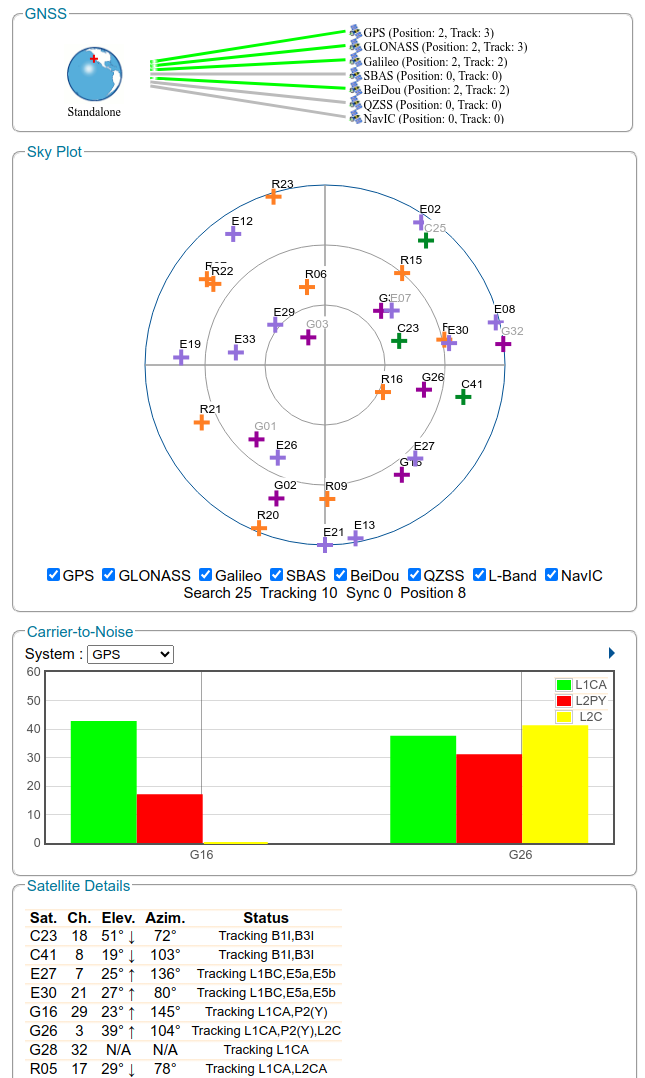
- 16160reception.jpg (111.5 KB ) - added by 5 months ago.
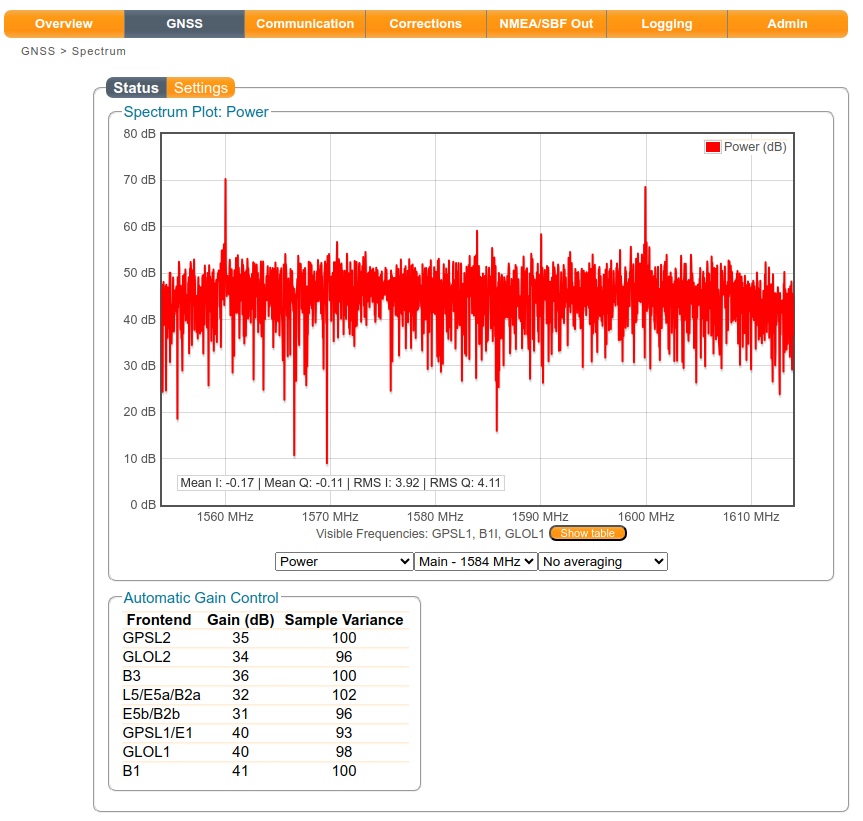
- 16160spectrum.jpg (101.8 KB ) - added by 5 months ago.
Download all attachments as: .zip